Yoga has long been associated with balance, tranquility, and holistic well-being. When I heard about the Yogabed, I couldn’t help but wonder if this mattress would live up to the promises of its name. Having spent weeks sleeping on it, I’m thrilled to share my comprehensive Yogabed mattress review, a product that claims to provide the perfect balance of comfort and support for a restful night’s sleep.
Yogabed Mattress Review: Unboxing and Setup
Before delving into my experience with the Yogabed, let’s start with the unboxing and setup process. The mattress arrived neatly packed in a compact box, which was surprisingly easy to handle. It’s worth noting that Yogabed is a bed-in-a-box mattress, making it convenient for those who want to skip the hassle of traditional mattress shopping.
Upon opening the box, the mattress quickly expanded to its full size. I was pleasantly surprised at how fast and straightforward the setup process was. The Yogabed is available in multiple sizes, from Twin to California King, so you can choose the one that best suits your needs.
Yogabed Mattress Review: Material and Construction
1. Layers of Comfort
The Yogabed is a memory foam mattress composed of four distinct layers, each designed to contribute to the overall sleeping experience. Here’s a breakdown of these layers:
A. Yoga Instant Response Foam
The top layer is a 2-inch proprietary Yoga Instant Response Foam. This layer offers instant comfort and pressure relief. It conforms to your body, cradling you in a gentle embrace. I immediately noticed the softness and plush feel of this layer when I first laid down on the mattress.
B. YogaGel
Under the Yoga Instant Response Foam is a 2-inch layer of YogaGel. This gel-infused foam not only enhances the mattress’s cooling properties but also provides additional support. Throughout my time with the Yogabed, I appreciated how this layer helped regulate temperature, preventing any uncomfortable overheating during the night.
C. High-Density Support Foam
Under the comfort layers is a 6-inch layer of high-density support foam. This layer is responsible for providing the much-needed support to keep your spine properly aligned. The combination of the memory foam above and this support layer creates a harmonious balance that cradles you while maintaining proper spinal alignment.
D. Breathable Support Base
The bottom layer of the Yogabed is a 4-inch breathable support base. This layer enhances the mattress’s durability and provides stability. It also facilitates airflow, further contributing to temperature regulation.
2. Cover
The Yogabed comes with a soft and stretchy cover made of a blend of polyester and viscose. It’s removable and machine-washable, which is a practical feature for keeping your mattress fresh and clean.
Yogabed Mattress Review: Comfort and Feel
1. Pressure Relief
One of the standout features of the Yogabed is its exceptional pressure relief. As someone who often experiences shoulder and hip discomfort, I was pleasantly surprised at how well this mattress alleviated these issues. The Yoga Instant Response Foam conformed to my body’s shape, gently cradling me and distributing my weight evenly.
2. Motion Isolation
If you share your bed with a partner, you’ll appreciate the Yogabed’s superior motion isolation. I found that even when my partner moved during the night, I remained undisturbed. This is an essential feature for those looking for undisturbed sleep, especially if you or your partner are restless sleepers.
3. Cooling Properties
The YogaGel layer’s cooling properties are a significant advantage, especially for individuals who tend to sleep hot. During my time with the Yogabed, I never woke up feeling sweaty or uncomfortable. The gel-infused foam effectively dissipates heat, keeping the mattress cool throughout the night.
4. Support and Spinal Alignment
The high-density support foam and the balanced construction of the Yogabed play a vital role in maintaining proper spinal alignment. I noticed that my lower back pain, which often bothered me in the mornings, gradually improved as I continued sleeping on the Yogabed.
A mattress is a long-term investment, and the Yogabed is designed to withstand the test of time. The high-density support foam and breathable support base provide durability, ensuring that the mattress will remain comfortable and supportive for years to come. Although I’ve only spent a few weeks on it, I’m confident in the mattress’s durability, based on its construction and materials.
Yogabed Mattress Review: Warranty and Trial Period
The Yogabed comes with a 10-year warranty, which is a reassuring sign of the manufacturer’s confidence in their product. Additionally, they offer a 101-night sleep trial, allowing you to test the mattress in the comfort of your home. If you’re not satisfied within this trial period, you can return the mattress hassle-free.
Yogabed Mattress Review: Pros & Cons
Here’s a table summarizing the pros and cons of the Yogabed:
Pros
Cons
Exceptional Pressure Relief
Initial Odor (Off-gassing)
Superior Motion Isolation
Heavy Weight
Effective Cooling Properties
Relatively Higher Price
Support and Spinal Alignment
Convenient Bed-in-a-Box Concept
Yogabed Mattress Review: Pros & Cons
Final Thoughts
In this Yogabed Mattress review, we found that the Yogabed is an impressive memory foam mattress that lives up to its name. It offers a harmonious balance of comfort and support, with exceptional pressure relief and motion isolation. The cooling properties and spinal alignment benefits further enhance the overall sleep experience. While it has a few minor drawbacks, such as the initial odor and weight, these are overshadowed by the mattress’s numerous advantages.
If you’re looking for a mattress that promotes a restful and comfortable night’s sleep, the Yogabed Mattress is certainly worth considering. The 101-night sleep trial and 10-year warranty give you peace of mind, making it a risk-free investment in your sleep quality and overall well-being. After my experience with the Yogabed, I can confidently say that it’s a mattress that combines comfort, support, and convenience in one appealing package.
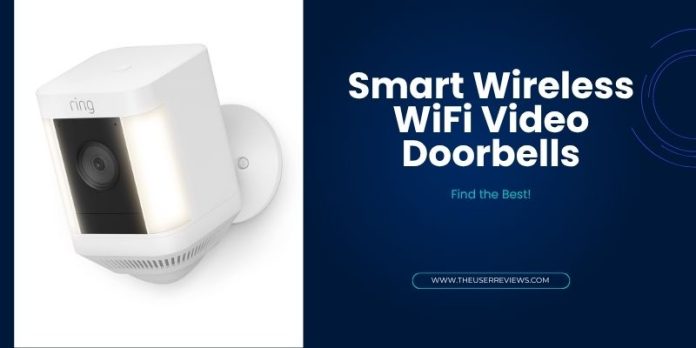
Renters face a unique challenge: security upgrades must be non-invasive, easy to install, and removable when moving out. That’s where the smart wireless WiFi video doorbell shines.
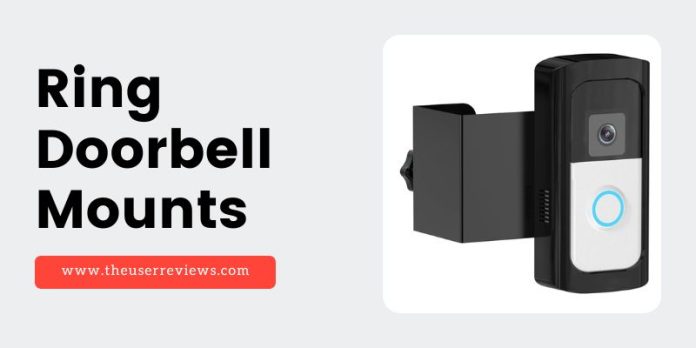
Unlike wired models, these doorbells require no drilling into walls or electrical rewiring — making them perfect companions to our Best Smart Doorbells for Apartments guide. Most attach with adhesive mounts or simple screws, connect directly to your home WiFi, and store footage in the cloud or on an SD card. For extra convenience, you can pair them with Renter Friendly Ring Doorbell Mounts to avoid any permanent modifications.
Table of Contents
What to Look For in Smart Wireless WiFi Video Doorbell
When choosing a smart wireless WiFi video doorbell as a renter, focus on these features:
No-Drill Mounting Options – Adhesive or clamp mounts to avoid wall damage.
Strong WiFi Connectivity – Dual-band (2.4GHz & 5GHz) support for stable video streaming.
Battery or Solar Power – Eliminates the need for hardwiring.
Cloud or Local Storage – Check if storage is included or requires a subscription.
High-Resolution Video – At least 1080p, with some 2025 models offering 2K and 4K HDR.
Two-Way Audio – For talking to visitors or delivery personnel.
Privacy & Security Features – Encryption, motion zones, and quick device reset for moving out.
Top 5 Smart Wireless WiFi Video Doorbells for Renters in 2025
1. Ring Battery Doorbell Plus (2025 Edition)
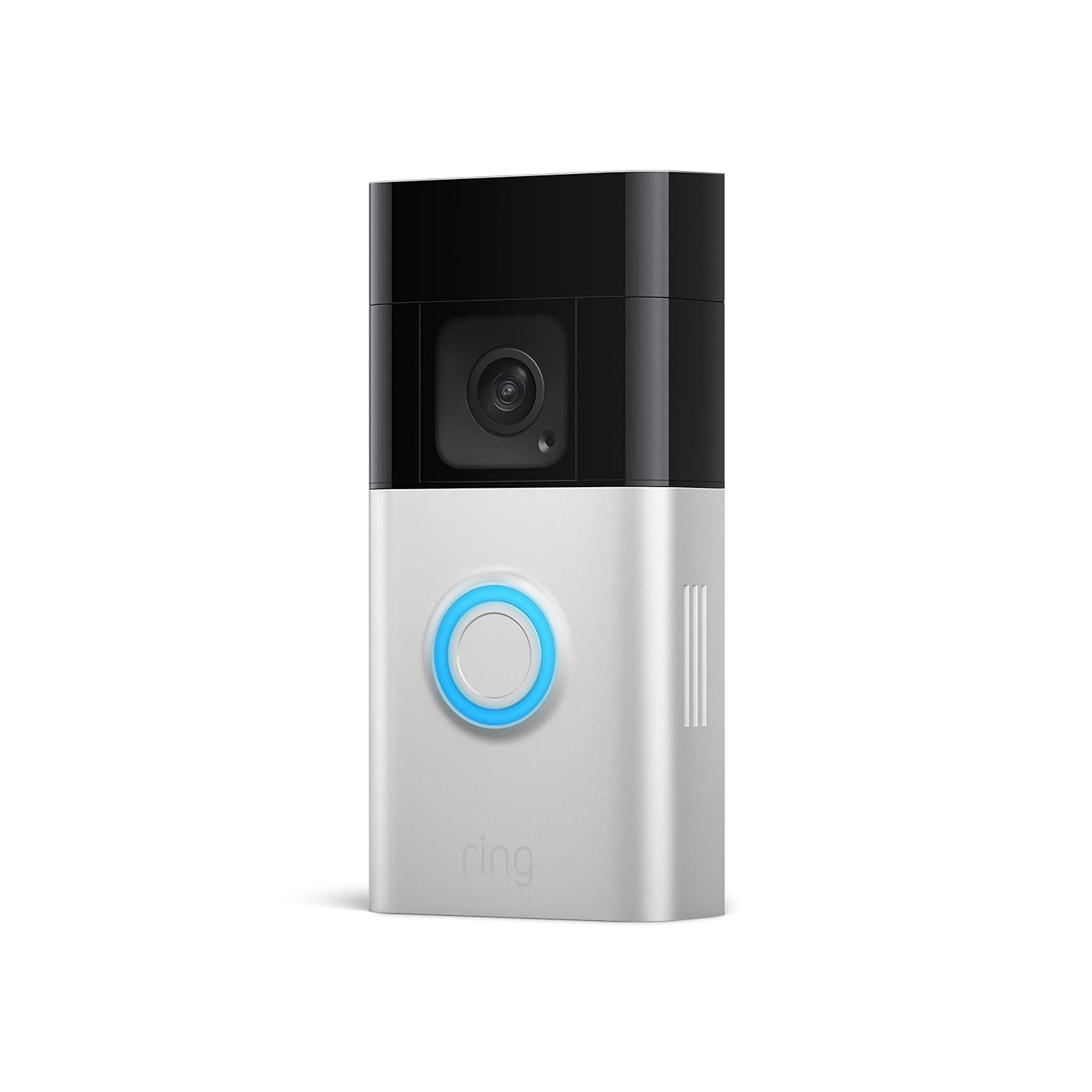
The Ring Battery Doorbell Plus offers a crisp 1536p HD+ resolution, up to 10 months of battery life, and secure cloud storage via the Ring Protect subscription. Ideal for renters who want seamless integration with the Ring ecosystem.
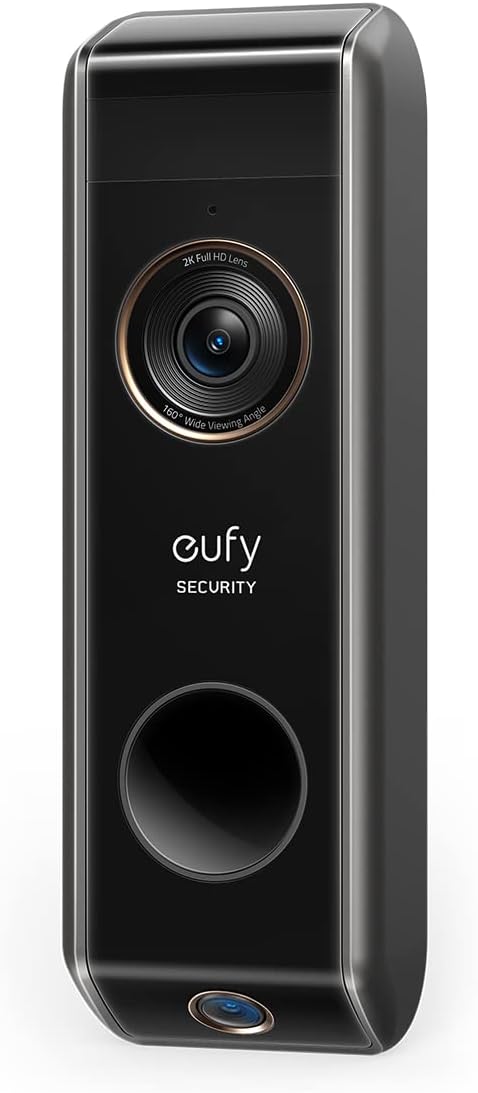
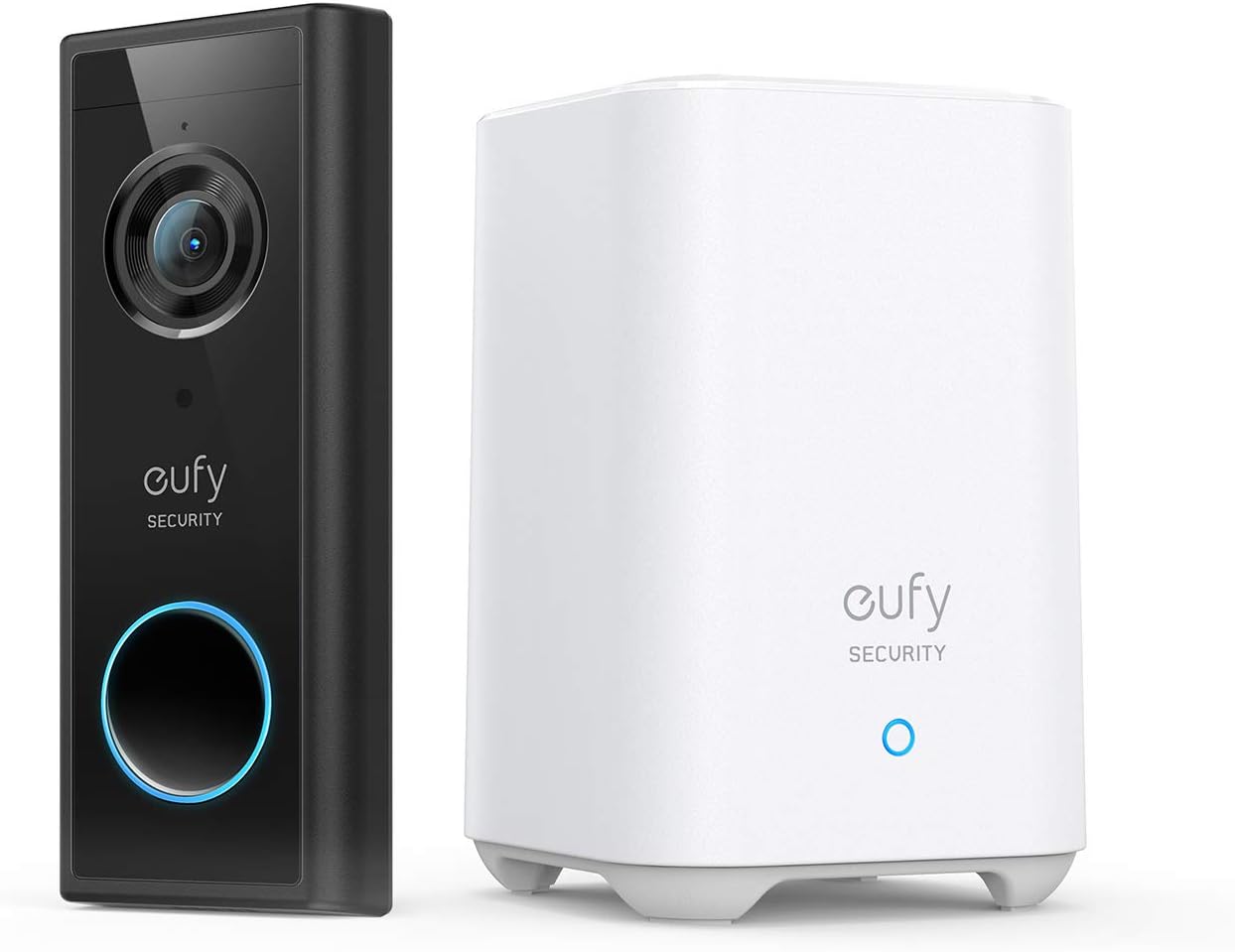
The Eufy S330 features dual 2K cameras for wide and package-focused coverage, includes free local storage with no subscription, and supports solar charging. Perfect for renters who want high-quality video without ongoing costs.
Best For: Subscription-free security and package theft prevention.
3. Arlo Essential Wireless Video Doorbell (2K HDR)
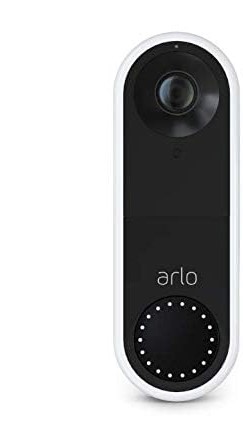
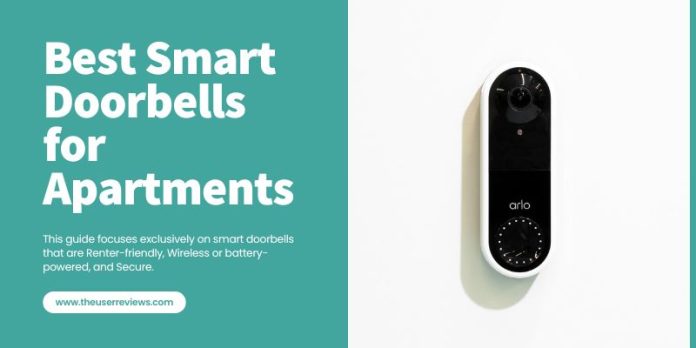
The Arlo Essential offers sharp 2K HDR video quality, AI-powered smart detection, and a battery life of 4–6 months. Ideal for renters seeking top-tier image clarity and intelligent alerts.
Best For: High-end image quality with smart detection AI.
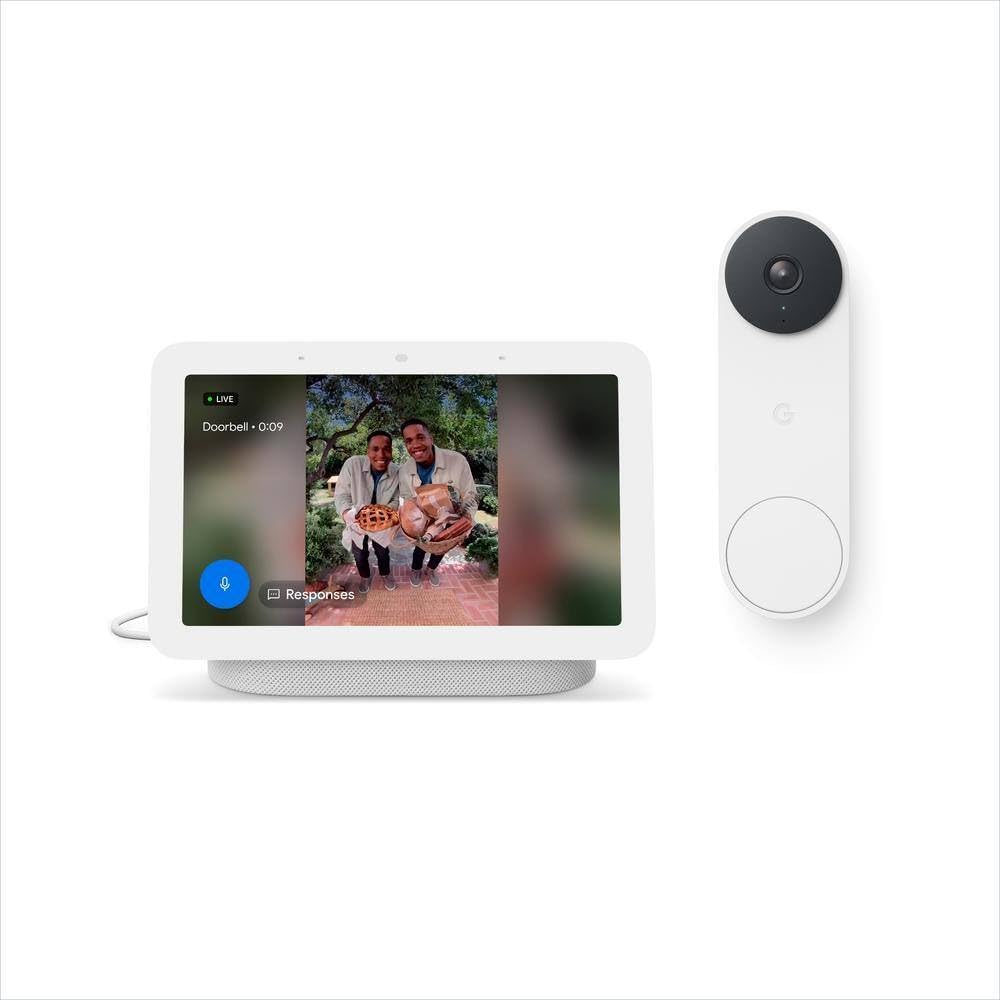
The Google Nest Doorbell delivers 1080p HDR video, seamless integration with the Google Home ecosystem, and up to 6 months of battery life. Includes 3-hour free event history with Nest Aware options for more storage.
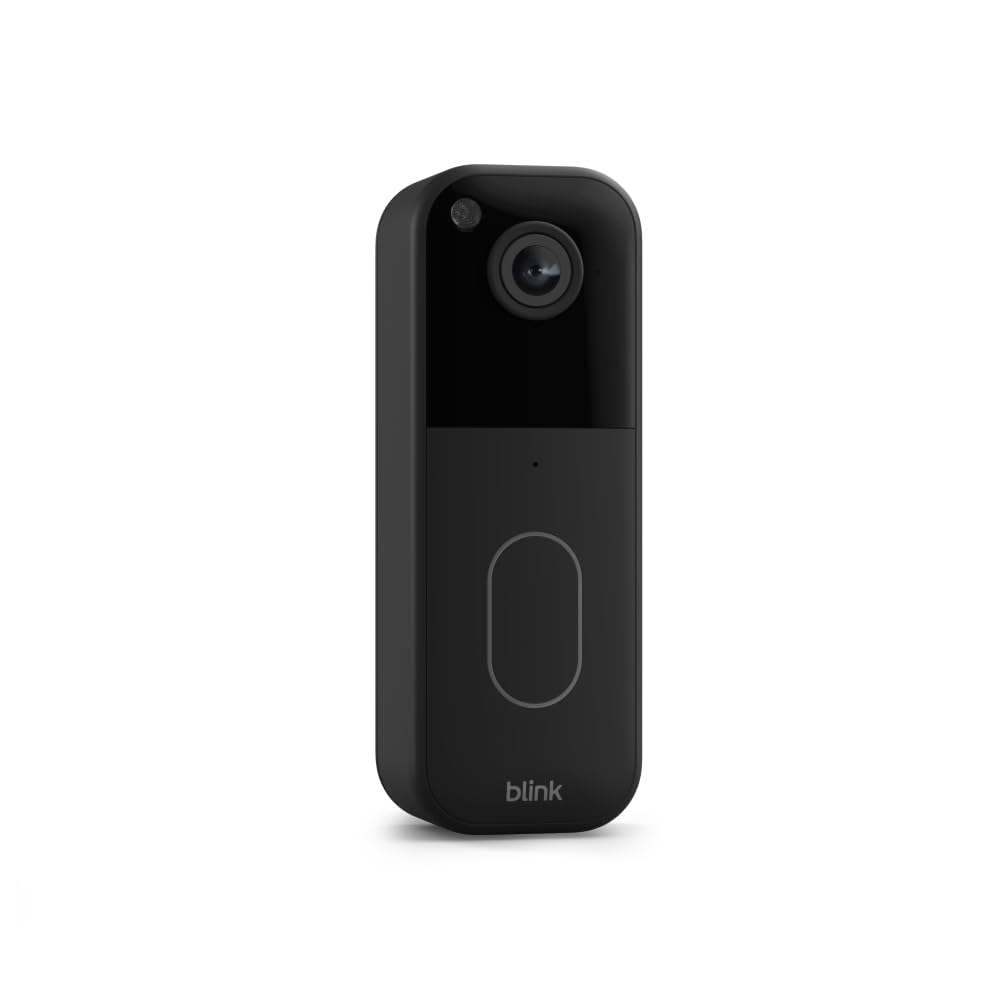
The Blink Video Doorbell offers 1080p HD resolution, an impressive 2-year battery life on AA lithium batteries, and flexible storage options. Best for renters who want budget-friendly, low-maintenance security.
Best For: Budget-conscious renters with minimal installation needs.
Limit Shared Access – Only give viewing rights to trusted people.
Position for Maximum Coverage – Mount at 48 inches high for best facial recognition and motion detection.
Final Thoughts
A smart wireless WiFi video doorbell is the perfect rental-friendly security upgrade. In 2025, you can choose from budget-friendly Blink models to high-tech dual-camera Eufy options — all without drilling a single hole. Whether you want no-subscription local storage, 4K HDR clarity, or solar-powered convenience, there’s a model that fits your apartment lifestyle.
1. Introduction – Why Smart Doorbells for Apartments Matter in 2025
If you live in an apartment, you know the struggle: packages vanish from your doorstep, unexpected knocks make you cautious, and your landlord’s rules keep you from drilling holes or rewiring anything. The best smart doorbells for apartments can change all of that. It lets you:
See who’s at your door in real time — whether you’re home or miles away
Get alerts when packages arrive
Communicate with visitors without opening the door
Keep video evidence in case of theft or disputes
But here’s the catch for renters: most doorbells are designed for homeowners. They require drilling into walls, hardwiring into your existing doorbell system, or making permanent modifications — all of which can get you in trouble with your landlord.
Note: If you’re a renter and can’t drill into your doorframe, check out our full guide on the best renter friendly Ring doorbell mounts for no-drill, landlord-approved options.
That’s why this guide focuses exclusively on smart doorbells for apartments that are:
Renter-friendly (no drilling or permanent installation required)
Wireless or battery-powered (no need to mess with wiring)
Secure (encrypted data, privacy controls, and good video quality)
We’ve tested, compared, and analyzed dozens of models to bring you the top 5 smart doorbells for apartments in 2025 — each perfect for renters who want security without violating their lease.
2. Quick Picks – Our Top 5 Smart Doorbells for Apartments
Here’s a quick overview of our top choices of best smart doorbells for apartments before we dive into detailed reviews:
Product
Best For
Price Range
Key Features
Ring Peephole Cam 2
Overall best for renters
$$$
Peephole replacement, motion alerts, two-way talk
Eufy Security Video Doorbell S220 (Battery)
No subscription fees
$$
Local storage, 2K video, long battery life
Google Nest Doorbell (Battery)
Best AI features
$$$
Smart alerts, facial recognition, Google Home integration
Blink Video Doorbell (Battery)
Budget pick
$
Works with Alexa, long battery life, affordable
Arlo Essential Wireless Video Doorbell
Wide field of view
$$$
180° view, HDR video, motion zones
If you’re looking for a system that can handle multiple tenants or shared entrances, check out our Best Smart Doorbells for Apartment Building Security guide, which reviews the top models for large complexes and multi-unit living.
3. What to Look for in an Apartment Smart Doorbell
Before buying smart doorbells for apartments, here are the key factors every renter should consider — and why they matter.
a) Installation Type
Look for no-drill or peephole mount options. Adhesive brackets are also great for renters, and some smart doorbells are designed to replace the existing peephole entirely.
b) Power Source
Battery-powered: Most renter-friendly and easy to install.
Plug-in options: Good if you have a nearby outlet.
Wired: Usually not recommended for apartments unless you already have a doorbell system.
c) Subscription Requirements
Some brands (like Ring and Nest) require monthly fees to unlock video history, while others (like Eufy) offer free local storage.
d) Video Quality
Aim for at least 1080p HD for clear footage. If budget allows, 2K or HDR is even better for facial recognition and low-light performance.
e) Smart Home Integration
Check if it works with your devices:
Alexa for Echo users
Google Home for Nest Hub users
Apple HomeKit for iPhone & Apple ecosystem users
f) Privacy & Security Features
Look for end-to-end encryption, two-factor authentication, and customizable privacy zones.
4. In-Depth Reviews – Best Smart Doorbells for Apartments in 2025
1. Ring Peephole Cam 2 – Best Overall for Renters
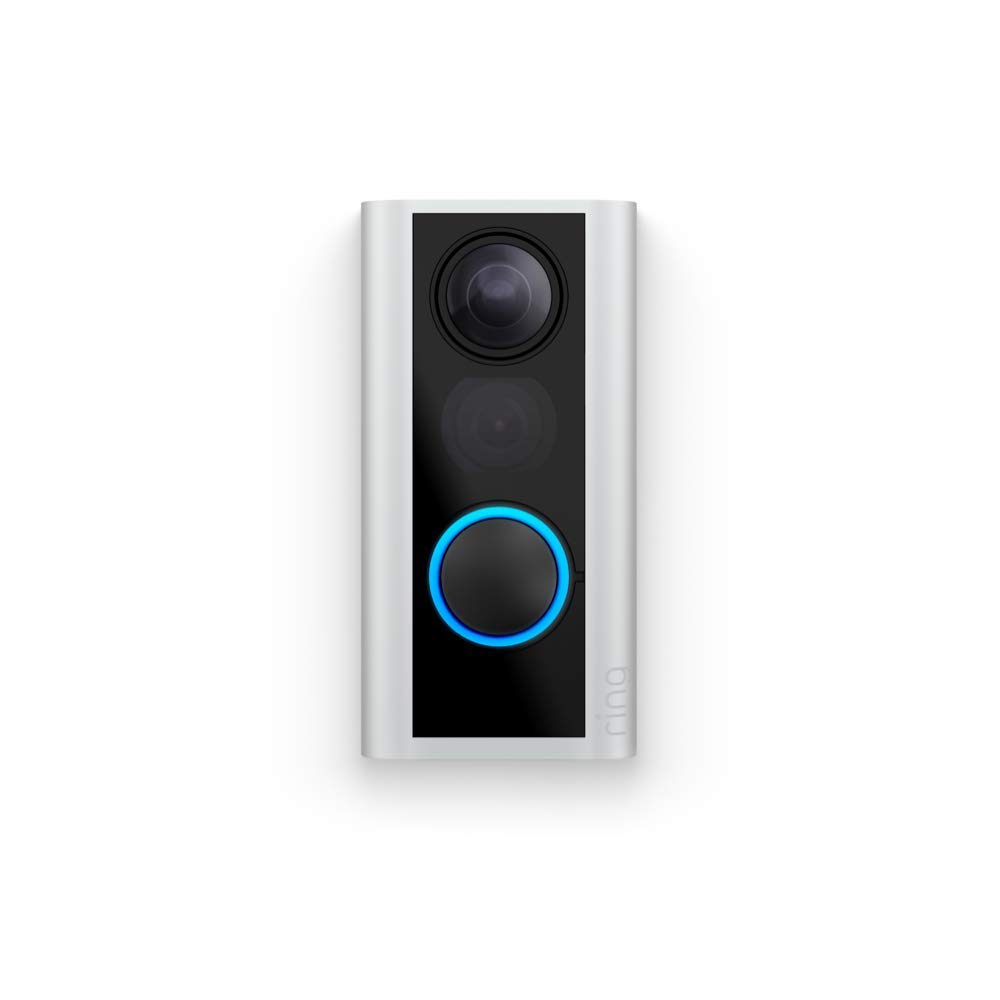
If you want the easiest, most landlord-approved upgrade to your apartment’s security, the Ring Peephole Cam 2 is it. Instead of drilling into the wall, you simply replace your existing door’s peephole with this camera — no damage, no tools beyond a screwdriver, and it can be removed when you move out.
Key Features:
1080p HD video with night vision
Motion detection alerts to your phone
Two-way audio for speaking to visitors
Knock detection (even if they don’t press the button)
Pros: ✅ No drilling or permanent installation — perfect for renters ✅ Knock detection is unique and great for apartment hallways ✅ Clear 1080p video and responsive app ✅ Alexa integration for Echo Show live feeds
Cons: ❌ Requires a subscription for video history ❌ Slightly bulkier than some adhesive-mount options
Best For: Renters who want a damage-free, easy-to-install doorbell that fits into the peephole slot.
2. Eufy Security Video Doorbell S220 (Battery) – Best for No Subscription Fees
Most smart doorbells lock essential features like video history behind a subscription. Eufy’s S220 is different — it stores footage locally on the included base station, so you pay $0 in ongoing fees.
Key Features:
2K video resolution with HDR for clear images
Battery-powered (up to 6 months per charge)
Local storage (no monthly subscription required)
AI-powered human detection to reduce false alerts
Works with Google Assistant and Alexa
Pros: ✅ Crisp 2K video quality ✅ No subscription fees ever ✅ Long battery life ✅ Good privacy controls with local storage
Cons: ❌ Requires a separate base station (included) ❌ Slight delay in notifications compared to Nest or Ring
Best For: Budget-conscious renters who don’t want to pay ongoing subscription fees.
3. Google Nest Doorbell (Battery) – Best AI and Smart Features
The Google Nest Doorbell (Battery) is perfect for tech-savvy renters who want top-tier AI detection, smart alerts, and seamless Google Home integration.
Key Features:
960 × 1280 resolution with HDR
Smart detection for people, packages, animals, and vehicles
Face recognition (with Nest Aware subscription)
Battery or wired installation
Works with Google Assistant devices
Pros: ✅ Excellent AI-powered detection ✅ Slim and modern design ✅ Works well with Google smart displays ✅ Battery or wired flexibility
Cons: ❌ Subscription required for face recognition and video history ❌ Video resolution slightly lower than 2K competitors
Best For: Google ecosystem users who want smart AI features and clean design.
4. Blink Video Doorbell (Battery) – Best Budget Pick
If you want a smart doorbell under $60 that still gets the job done, the Blink Video Doorbell is an unbeatable value. It works as a wired or battery-powered device and integrates smoothly with Alexa.
Key Features:
1080p HD video
Battery life up to 2 years (with 2 AA batteries)
Motion detection and alerts
Works with Alexa devices
Optional cloud storage subscription
Pros: ✅ Very affordable ✅ Impressive battery life ✅ Works wirelessly or wired ✅ Easy to set up
Cons: ❌ Cloud storage requires subscription ❌ No advanced AI features
Best For: Renters who want a simple, budget-friendly smart doorbell without sacrificing core functionality.
5. Arlo Essential Wireless Video Doorbell – Best Wide-Angle View
If your apartment hallway is narrow or angled, you’ll love the Arlo Essential’s 180° field of view. It captures more of your entry area than most competitors, reducing blind spots.
Key Features:
1080p HD with HDR
180° wide-angle view
Direct-to-mobile calls when someone presses the bell
Works with Alexa, Google Assistant, and Apple HomeKit
Motion detection with customizable zones
Pros: ✅ Extra-wide view ideal for small hallways ✅ Works across multiple smart home ecosystems ✅ Good HDR performance in tricky lighting
Cons: ❌ Subscription needed for cloud storage ❌ Shorter battery life than Eufy or Blink
Best For: Apartments where wide-angle coverage is important for visibility.
5. Buyer’s Decision Guide for Best Smart Doorbells for Apartments
Side-by-Side Comparison of Best Smart Doorbells for Apartments
Model
Best For
Video Quality
Installation Type
Battery Life
Storage Type
Subscription Needed?
Smart Home Compatibility
Price Range
Ring Peephole Cam 2
Damage-free renter install
1080p HD
Peephole replacement
~6 months
Cloud
Yes (for history)
Alexa
$$
Eufy S220
No ongoing fees
2K HDR
Adhesive/wireless
~6 months
Local (base station)
No
Alexa, Google
$$
Google Nest Doorbell (Battery)
AI features & Google users
960×1280 HDR
Adhesive/wireless/wired
~3–4 months
Cloud
Yes (for history/face ID)
Google Assistant
$$$
Blink Video Doorbell
Budget pick
1080p HD
Wireless/wired
Up to 2 years
Cloud
Optional
Alexa
$
Arlo Essential
Wide hallway coverage
1080p HDR
Wireless/wired
~3 months
Cloud
Yes (for history)
Alexa, Google, HomeKit
$$–$$$
Pros & Cons Summary
Model
Pros
Cons
Ring Peephole Cam 2
Easiest install for renters, knock detection, Alexa-friendly
Subscription required, bulky look
Eufy S220
2K video, no fees, long battery life
Needs base station, slight notification delay
Google Nest Doorbell
Excellent AI, slim design, flexible install
Lower resolution, subscription needed for most features
Blink Video Doorbell
Cheapest, longest battery life, easy setup
No AI detection, optional subscription for storage
Arlo Essential
180° wide view, multi-platform support
Shorter battery life, subscription for history
Which One Should You Buy?
If you rent and can’t drill: Go for Ring Peephole Cam 2 — it’s literally made for apartments with peepholes.
If you hate paying monthly fees: Eufy S220 gives you high-quality video without ongoing costs.
If you live in Google’s ecosystem: Google Nest Doorbell is your best bet for smart AI alerts and integration.
If you want the cheapest option: Blink Video Doorbell gets you smart security for under $60.
If your hallway has tricky angles: Arlo Essential gives you the widest view in this list.
6. Buying Guide: How to Choose the Best Smart Doorbell for Your Apartment
Choosing a smart doorbell for renters or an apartment smart doorbell is very different from picking one for a house. Renters face unique challenges — you can’t always drill into walls, run wiring, or make permanent changes without landlord approval. Here’s what you should focus on about smart doorbells for apartments before hitting the “buy” button.
1. Installation Type (Renter-Friendly Is Key)
Look for renter friendly Ring doorbells or other models that use:
Adhesive mounts (e.g., Eufy S220)
Peephole replacement (e.g., Ring Peephole Cam 2)
No-drill brackets for doors or walls
📌 Tip: If you live in a building with strict rules, confirm that the smart doorbell for apartment building you choose can be fully removed without damage.
2. Power Source
Battery-powered doorbells are ideal for renters because they don’t require hardwiring.
Look for models with long battery life (4–6 months minimum).
If you want a wireless Ring camera for apartments, check that charging is easy — preferably with a quick-release battery.
3. Video Quality
For narrow apartment hallways, a wide field of view (160°+) is crucial.
2K resolution (like Eufy S220) offers better detail, but 1080p HD is still good for most renters.
4. Storage & Subscription Costs
Many smart WiFi video doorbell camera options require a subscription for cloud storage.
If you want to avoid ongoing costs, pick a smart wireless WiFi video doorbell with local storage (like Eufy).
Cloud storage can be worth it if you want smart AI alerts (people, package, or face recognition).
5. Smart Home Integration
Alexa users: Ring, Blink, and Arlo integrate seamlessly.
Google Home users: Nest Doorbell and Arlo are best.
Apple HomeKit fans: Arlo is the top choice in this list.
6. Privacy & Security
Make sure your security doorbell with WiFi camera:
Uses encrypted video transmission
Lets you manage your own data (especially if using local storage)
Offers two-factor authentication for app logins
7. Special Features for Apartments
Knock detection (great for peephole models)
Package detection for high-rise deliveries
Motion zones so you’re not getting alerts every time the neighbor’s cat walks by
7. FAQs – Best Smart Doorbells for Apartments
1. Can I put a Ring doorbell in my apartment?
Yes — but it depends on your building’s rules. The easiest option is the Ring Peephole Cam 2, which replaces your existing peephole without drilling or wiring. If you’re not allowed to alter your door, consider a renter friendly Ring doorbell mount that attaches with adhesive or clamps.
2. Which smart doorbell is best for renters?
For most renters, the Eufy S220 is the best balance of high-quality video, long battery life, and no monthly fees. If you want easy integration with Alexa, choose the Ring Peephole Cam 2.
3. Are wireless video doorbells secure?
Yes, but only if you choose a model with: – Encrypted video streams – Two-factor authentication for your app – Regular firmware updates from the manufacturer
4. Do smart doorbells work in apartment buildings?
Yes, but you’ll want a smart doorbell for apartment building that can handle narrow hallways and shared entryways. Wide field of view (160°+) is ideal so you don’t miss activity.
5. What’s the cheapest smart doorbell for apartments?
The Blink Video Doorbell is the most budget-friendly option that still offers HD video, motion alerts, and Alexa integration.
6. Do I need a subscription for a smart doorbell?
Not always. Models like Eufy S220 offer local storage so you don’t pay monthly. However, cloud-based options (Ring, Arlo, Nest) usually require a subscription for video history and advanced features.
7. How do I install a smart doorbell without drilling?
Look for: – Adhesive mounts – Peephole replacement kits – Clamp mounts that fit around your doorframe These let you install a smart wireless WiFi video doorbell without permanent changes.
Bottom Line
Choosing the best smart doorbells for apartments isn’t just about picking a top-rated gadget — it’s about finding one that truly works for your space. For apartment dwellers, the ideal model is wireless, quick to install, and easy to remove when you move out, with a slim design perfect for narrow doorways. Always check your building’s rules to ensure your smart doorbell is allowed, and pick one that integrates smoothly with your smart home system. The right smart doorbell for your apartment will deliver security, convenience, and peace of mind every time the bell rings.
Why You Need a Renter Friendly Ring Doorbell Mount
If you rent, chances are your lease forbids drilling into doors or walls. That makes installing a standard Ring doorbell tricky. The solution? Renter friendly Ring doorbell mounts — no-drill accessories that let you attach your device securely without damaging your property.
Whether you’re using a Ring Peephole Cam, Battery Doorbell Plus, or Ring Video Doorbell 4, a good mount ensures:
Easy installation
No landlord headaches
The flexibility to take your doorbell with you when you move
Our Top Picks for Renter Friendly Ring Doorbell Mounts 2025
Rank
Mount Name
Compatible Models
Installation Method
Price Range
1
Wasserstein No-Drill Mount for Ring Doorbells
Ring Video Doorbell 3, 3 Plus, 4, Battery Doorbell Plus
Adhesive Back Plate
$18–$25
2
Ring Peephole Cam Mount Kit
Ring Peephole Cam 1 & 2
Replaces existing peephole
$15–$20
3
Door Mount Bracket by Anti-Theft Shield
Ring Video Doorbell 1–4, Battery Plus
Clamps over door
$25–$35
4
HOLACA Anti-Theft Mount
Ring Battery Doorbells
Clamp + lock mechanism
$20–$28
5
Uogw Adjustable No-Drill Mount
Ring Video Doorbell 2, 3, 4
Adjustable adhesive frame
$16–$22
In-Depth Review: Renter Friendly Ring Doorbell Mounts
1. Wasserstein No-Drill Mount — Best Overall
Why we love it: This mount uses a 3M VHB adhesive back plate, strong enough to hold your Ring securely while still being removable without damage. The flat design keeps the doorbell flush, and it’s weather-resistant for outdoor doors.
2. Ring Peephole Cam Mount Kit — Best for Hallway Apartments
Why we love it: If your door has a peephole, this is the easiest, most secure option. It replaces your peephole entirely, so no drilling — and you get the perfect viewing angle.
Pros:
Perfectly secure without adhesives
Uses existing peephole
Works with narrow apartment doors
Cons:
Only for Ring Peephole Cam models
Requires removing old peephole
3. Door Mount Bracket by Anti-Theft Shield — Best for Security
Why we love it: Clamps over the top of your door, holding the doorbell at eye level. No adhesives, no screws — plus an anti-theft shield to deter tampering.
Pros:
Fully removable
Adjustable height
No surface damage
Cons:
Only works if door gap is wide enough
Slightly bulky
4. HOLACA Anti-Theft Mount — Best for High-Traffic Entrances
Why we love it: Uses a clamp + locking mechanism, great for shared entryways where theft is a concern. Compatible with most battery-powered Rings.
Pros:
Anti-theft locking
No drilling
Durable metal frame
Cons:
Slightly heavier than adhesive options
Lock requires a small key
5. Uogw Adjustable No-Drill Mount — Best Budget Option
Why we love it: An affordable adhesive-frame mount that lets you adjust the viewing angle before sticking it down.
Pros:
Cheap but sturdy
Adjustable angle
Works with several Ring models
Cons:
Adhesive weakens in extreme heat
Not theft-proof
Buying Guide: Choosing the Right Renter Friendly Ring Doorbell Mounts
When shopping, consider:
Installation Method – Adhesive is fastest, clamps are most secure.
Compatibility – Not all mounts fit all Ring models.
Security – If theft is a concern, choose a locking clamp style.
Surface Type – Adhesive mounts work best on smooth, clean surfaces.
Verdict
Best Overall: Wasserstein No-Drill Mount (great mix of security and convenience)
Best for Peephole Doors: Ring Peephole Cam Mount Kit
Best Security: Door Mount Bracket by Anti-Theft Shield
If you’re unsure which to get, the Wasserstein is the safest choice for most renters.
FAQ – Renter Friendly Ring Doorbell Mounts
Q: Can I take my Ring doorbell when I move?
Yes — most renter-friendly mounts are fully removable and reusable (except adhesive models).
Q: Will adhesive damage my door?
High-quality mounts like Wasserstein use removable adhesives that don’t peel paint, as long as you follow removal instructions.
Q: Which mount is best for steel doors?
Clamp mounts are better since adhesives may not bond well to textured or painted steel.
Living in an apartment doesn’t mean you have to compromise on security. Thanks to wireless Ring cameras for apartments, renters can enjoy advanced surveillance features without drilling holes, dealing with messy wiring, or breaking lease agreements. Whether you want to monitor your hallway, balcony, or living room, there’s a Ring camera designed to meet your needs.
In this guide, we’ll cover the best wireless Ring cameras for apartments, share installation and setup tips, and explain how to maximize your security without damaging walls or losing your deposit. Plus, we’ll show you how these cameras work perfectly alongside your smart doorbell — you can complement your smart doorbell with a wireless Ring camera to build a complete apartment security system.
Table of Contents
1. Why Choose a Wireless Ring Camera for Your Apartment
1.1 Renter-Friendly Design
Wireless Ring cameras are perfect for apartments because they don’t require hardwiring. Most run on rechargeable batteries or plug into a standard outlet, meaning you can install them in minutes and take them with you when you move.
1.2 Portability
Moving to a new place? Simply unmount your Ring camera and set it up in your new home without any professional help.
1.3 Wi-Fi Connectivity & Cloud Storage
Ring cameras connect directly to your Wi-Fi network and store footage in the Ring cloud (with a subscription), making it easy to review events even when you’re away.
1.4 Smart Home Compatibility
They integrate seamlessly with Alexa devices, allowing you to use voice commands, display camera feeds on Echo Show, and even automate lighting for extra deterrence.
2. Best Wireless Ring Cameras for Apartments (2025 Picks)
Whether you want discreet indoor monitoring or outdoor protection, here are the top-rated wireless Ring cameras for apartment living.
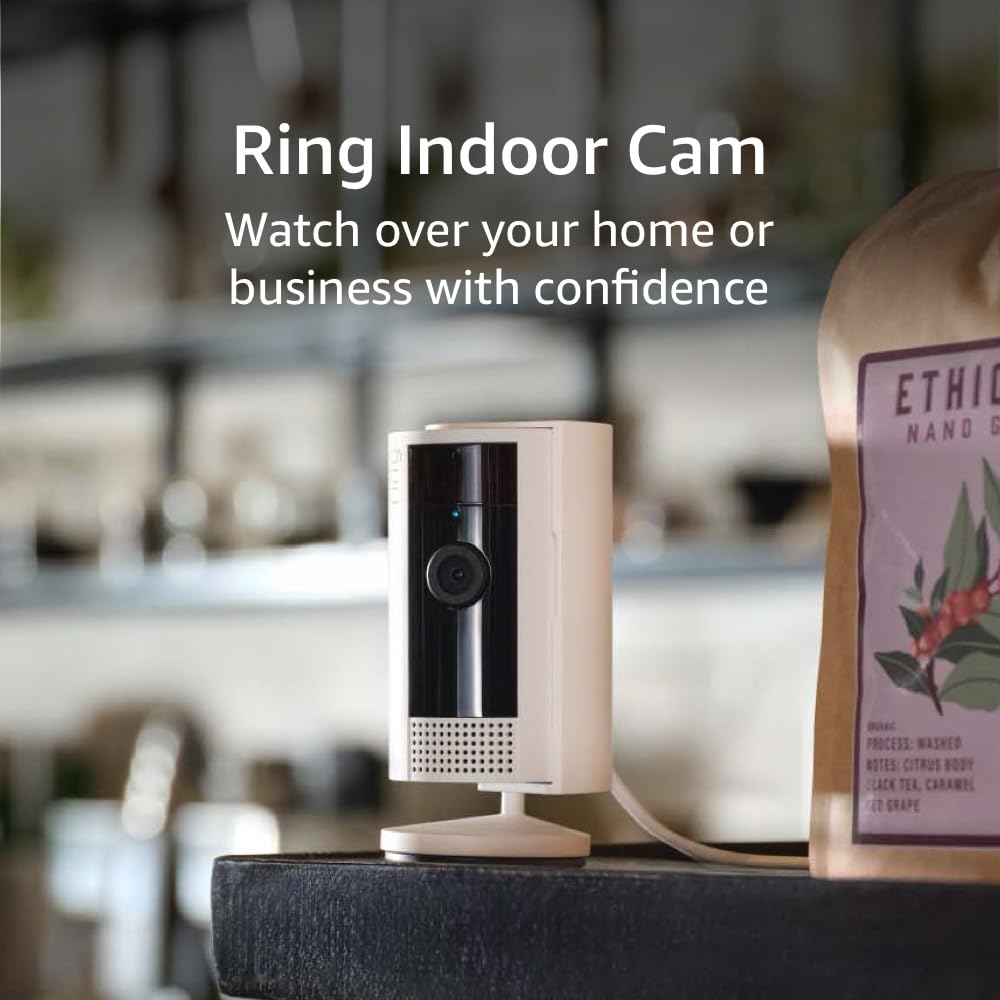
2.1 Ring Indoor Cam (2nd Gen)
Resolution: 1080p HD
Field of View: 143° diagonal
Power Source: Plug-in (optional battery pack with accessories)
Best For: Small apartments, indoor security, pet monitoring.
Ring Indoor Cam (2nd Gen)
Compact, affordable, and perfect for small apartment spaces.
Pros: Affordable, crisp HD video, privacy shutter.
3. How to Install Wireless Ring Cameras for Apartments (Without Breaking Lease Rules)
3.1 Choose the Right Mounting Method
Adhesive mounts: Ideal for walls and ceilings where drilling is prohibited.
Freestanding stands: Perfect for placing on shelves, tables, or countertops.
Magnetic mounts: Great for metal doors or frames.
3.2 Avoiding Wall Damage
Use removable adhesive strips or suction mounts to prevent marks.
3.3 Placement Tips for Best Coverage
Place indoor cameras facing entry points.
Position outdoor cameras to cover the door and shared pathways.
Avoid pointing at neighbor’s private property to respect privacy laws.
3.4 Setting Up on Shared Wi-Fi Networks
If your apartment complex has shared Wi-Fi, create a separate network (if possible) or use a personal router for added security.
4. Setup & Optimization Tips
4.1 Connecting to the Ring App
Download the Ring app (iOS/Android).
Scan the QR code on your device.
Follow the guided setup for Wi-Fi connection and updates.
4.2 Fine-Tuning Motion Zones
Narrow the detection area to reduce false alerts.
Exclude high-traffic areas like busy hallways if you don’t need alerts from them.
4.3 Adjusting Notifications
Use “Motion Snooze” to temporarily pause alerts during cleaning or when guests visit.
4.4 Privacy Settings for Shared Hallways
Enable privacy zones in the app to block areas you don’t want to record.
4.5 Integration with Smart Doorbells
Pair your Ring camera with a smart doorbell to create a complete apartment security system with multiple viewpoints.
5. Apartment Security Best Practices with Ring Cameras
5.1 Use Lighting Strategically
Ring cameras work even better when paired with lighting. Use built-in spotlights or separate smart bulbs.
5.2 Coordinate with Neighbors
If multiple neighbors use Ring devices, consider joining the Ring Neighbors App to share security updates.
5.3 Follow Legal Guidelines
Check local laws about video recording, especially in shared spaces like hallways.
6. Alternatives to Wireless Ring Cameras for Apartments
Blink Indoor/Outdoor
Affordable and long battery life.
Arlo Essential
Crisp video quality, strong app features.
Eufy Security
No subscription fees for local storage.
Still, Ring stands out for its ecosystem and Alexa integration, making it ideal if you already use a Ring doorbell or Ring Alarm system.
Final Thoughts
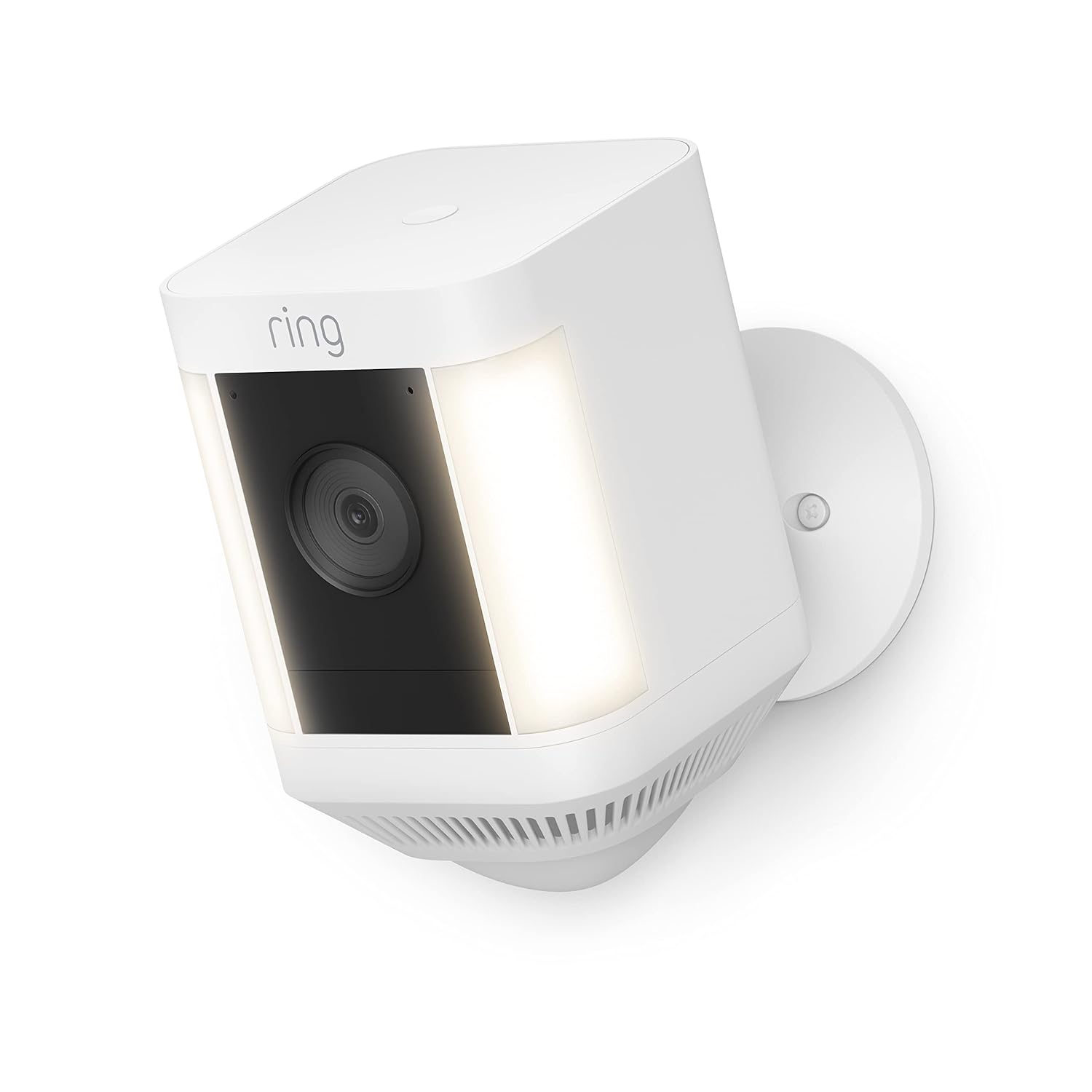
Wireless ring cameras for apartments are a renter’s best friend: easy to install, portable, and packed with smart security features. From the budget-friendly Ring Indoor Cam to the high-security Spotlight Cam Plus, there’s a model for every apartment scenario.
For the ultimate protection, pair your camera with a smart doorbell — check out our Best Smart Doorbells for Apartments guide to see how you can combine the two for maximum apartment security.
When it comes to securing an apartment building, choosing the best smart doorbells for apartment building security is more complicated than picking one for a single home. With multiple tenants, shared entryways, and sometimes large property layouts, your doorbell system needs to be multi-user friendly, privacy-conscious, and technically reliable.
In this guide, we’ll walk you through the best smart doorbells for apartment building security in 2025, explain what makes them ideal for multi-unit living, and help you pick the one that fits your building’s size, budget, and security needs.
Table of Contents
What to Look in the Best Smart Doorbells for Apartment Building Security
Before we get to our top picks, here’s what matters most for multi-unit security systems:
Multi-User Access – Ability to allow different residents to receive alerts and view video feeds without compromising privacy.
Shared Entry Management – Integration with intercoms or buzz-in systems so residents can let guests in remotely.
Video Quality & Night Vision – Clear, high-resolution footage day and night is essential for identifying visitors.
Wi-Fi Range & Stability – Larger buildings may need mesh networking or Ethernet connectivity to keep video stable.
Privacy Controls – Options to limit what other tenants can see and record.
Integration with Building Security – Works with door locks, security cameras, and alarm systems.
5 Best Smart Doorbells for Apartment Building Security (2025)
1. Ring Video Doorbell Elite – Best Professional Wired Option
Best for: Large buildings with professional installation budgets
Key Features:
Flush-mounted Ethernet connection for maximum stability
Looking for affordable yet stylish products from a wide range of categories? Light in the Box has gained popularity among online shoppers, but is it truly worth your time and money? this Light in the Box reviews, we’ll dive deep into what you can expect from shopping on Light in the Box. From product range and quality to shipping and customer service, we’ll cover it all to help you make an informed decision.
Light in the Box Reviews covering:
Why This Review Is Helpful: Shopping online offers convenience, but it can also be challenging to trust new platforms. This review will provide an honest, balanced, and detailed assessment of Light in the Box, so you can determine if it’s the right fit for your shopping needs.
1. Overview of Light in the Box Company:
Product Categories: Light in the Box features an extensive catalog of products, including:
Fashion (clothing, shoes, accessories)
Electronics (smartphones, gadgets, accessories)
Home & Garden (furniture, decor, outdoor essentials)
Beauty products (skincare, makeup)
Wedding Supplies (dresses, accessories, decor)
Unique gadgets and tech products
Platform Usability: Navigating Light in the Box’s website is relatively simple. It offers an intuitive user interface with easily accessible categories and filters to help you find products quickly. The site also provides an app for mobile shoppers, which mimics the user experience of the website, making the shopping process seamless across devices.
2. Product Range:
Variety and Selection: Light in the Box offers an extensive selection of products across many categories, catering to a diverse group of shoppers. Whether you’re looking for everyday items, seasonal items, or niche products, there’s something for everyone. The website covers a broad spectrum of goods, including:
Fashion: Light in the Box boasts an impressive collection of clothing for men, women, and children, including trendy pieces like dresses, jackets, t-shirts, shoes, and accessories. The store is known for keeping up with fast fashion trends, offering stylish clothing at competitive prices. They also carry unique items for different occasions, such as weddings and parties.
Electronics: Light in the Box provides a wide range of affordable electronics, including smartphones, tablet accessories, smartwatches, computer accessories, and home gadgets. For tech lovers on a budget, it’s a good spot to find electronic items that perform well without the premium price tag.
Home & Garden: The platform also offers a great selection of home essentials, from furniture and lighting to decor and kitchen gadgets. Whether you’re furnishing a new space or simply upgrading your current living environment, you’ll find various functional and decorative options at reasonable prices.
Beauty Products: Whether you’re after skincare, makeup, or personal care items, Light in the Box has a substantial offering of beauty products. You can find international and local brands, with many options for both popular and niche beauty needs.
Wedding and Party Supplies: For couples planning their big day or anyone hosting an event, Light in the Box offers wedding dresses, accessories, decorations, and even wedding party gifts. Many of these items are customizable, which adds a personal touch to the occasion.
Sports and Outdoor Gear: Light in the Box also provides products for outdoor enthusiasts, including fitness equipment, camping gear, and travel accessories. Whether you’re an athlete or someone who loves the outdoors, the site has something to suit your needs.
Toys & Hobbies: From educational toys for children to hobbies like model building and crafting supplies, Light in the Box offers a broad selection for families and hobbyists.
Product Descriptions and Images: One of the standout features of Light in the Box is its detailed product descriptions. Each item usually comes with comprehensive details on dimensions, material composition, and care instructions. For fashion items, sizing guides are often included, helping customers make informed decisions. However, while the images are generally high-quality, there are some reports that items may look slightly different in person due to lighting and image angles.
Exclusive Products: While Light in the Box doesn’t specialize in offering high-end exclusive brands, it does have some unique or harder-to-find items that cater to niche markets. For example, custom-made clothing, unique electronic gadgets, or wedding supplies that are tailored to different cultural preferences can be found. These specialized products can be a real draw for shoppers seeking something outside of the typical retail offering.
3. Light in the Box Reviews: Quality of Product:
Quality vs. Price: The quality of products on Light in the Box tends to align reasonably well with its prices. While many items are affordable, they can sometimes be made from lower-grade materials. For example, fashion products like dresses or shoes may look great initially but could lack long-term durability. On the flip side, more expensive electronics or gadgets often meet or exceed expectations in terms of functionality and reliability.
Common Complaints About Product Quality: A number of customers have complained about discrepancies between product images and the actual items received, such as colors or sizes that don’t match what was displayed. Clothing and accessories, in particular, have received criticism for fabric quality and stitching.
Product Testing: After purchasing a pair of shoes from Light in the Box, I found that while they were stylish and affordable, the material was thinner than expected, and they showed signs of wear after a few uses. However, they still served their purpose as a budget-friendly fashion item.
4. Pricing:
Affordability: Light in the Box is primarily known for its affordable prices. Most items are priced lower than those on major e-commerce platforms like Amazon or eBay, making it an attractive option for budget-conscious shoppers.
Discounts and Promotions: The platform frequently offers promotions, sales, and discounts, such as seasonal sales, clearance events, and flash deals. Additionally, first-time buyers may receive a discount or coupon, further adding to the platform’s value proposition.
Comparison to Competitors: When comparing similar items on Light in the Box and competitors like AliExpress or Amazon, Light in the Box often offers better value for money, especially on non-branded or generic products. However, for premium brands or higher-end products, it’s worth checking alternative platforms.
Hidden Fees: While the prices are competitive, customers may face additional costs, such as shipping fees and customs duties, especially for international orders. It’s important to factor in these costs when budgeting for purchases.
5. Shipping and Delivery:
Shipping Options: Light in the Box provides several shipping options, including standard shipping, expedited shipping, and express delivery. Prices vary depending on the shipping method and the destination.
Delivery Times: Delivery times can vary significantly depending on your location. For U.S. customers, standard shipping can take anywhere from 10-20 days, while expedited shipping might shorten that to 5-10 days. International shipping can take longer, especially in remote areas.
Packaging and Condition: Most products arrive in secure packaging, but there have been reports of items arriving damaged, particularly when shipped internationally. Light in the Box typically uses bubble wrap and cardboard to protect items, but the level of care in packaging may depend on the product type.
Customs and Import Fees: International orders often incur customs duties or import taxes, which are the responsibility of the buyer. These charges can add a significant amount to the total cost of your order.
Tracking and Order Updates: Light in the Box provides tracking information for most orders, but updates can sometimes be delayed or inaccurate. It’s always advisable to keep an eye on the tracking number and contact customer support if needed.
6. Light in the Box Reviews: Customer Service
Customer Support Channels: Light in the Box offers several ways to reach customer support, including email, live chat, and an online ticketing system. They are responsive, but response times can vary depending on the volume of inquiries.
Response Time: In my experience, customer service responses took about 24-48 hours. Some users report delays in receiving timely assistance, especially when issues arise regarding refunds or damaged products.
Return and Refund Policies: Light in the Box has a standard return policy where you can request a return within 14-30 days of receiving your order. However, the process can be cumbersome, especially for international customers, and return shipping may be costly.
Customer Support Reviews: Customer feedback about the support team is mixed, with some praising the helpfulness and others criticizing slow responses or lack of resolution for certain issues.
7. User Reviews and Feedback:
Online Reputation: Light in the Box generally has a mixed online reputation. On Trustpilot, the platform boasts a reasonable rating, with many customers praising the affordability and variety of products. However, negative reviews often cite shipping delays, quality concerns, and challenges with customer service.
Common Customer Complaints: Common issues include long delivery times, discrepancies in product descriptions and images, and difficulty with returns and refunds. Despite these complaints, the platform has made efforts to address some of these concerns through improved customer service and more accurate product listings.
Customer Satisfaction Ratings: Overall, Light in the Box holds a customer satisfaction rating of around 3.5-4 stars out of 5 on most review platforms.
8. Pros and Cons:
Pros:
Wide Product Selection: Light in the Box’s product catalog is expansive, offering everything from fashion and electronics to home essentials, beauty products, and party supplies. This variety allows customers to shop for multiple categories in one place, which is convenient for both everyday purchases and special events like weddings.
Affordable Prices: One of the major selling points of Light in the Box is its affordability. The platform offers competitive prices on a wide range of products, often much lower than on major e-commerce platforms like Amazon or eBay. For budget-conscious shoppers, it’s a great place to find trendy fashion, home goods, and even electronics without breaking the bank.
Frequent Discounts and Promotions: Light in the Box is known for its regular promotions, flash sales, and discounts. Whether it’s a seasonal sale or a special offer for new users, there’s almost always a deal to be found. These discounts can make shopping on the platform even more attractive.
International Shipping: Light in the Box is a global e-commerce platform, offering shipping to over 200 countries. This extensive shipping network makes it accessible to shoppers worldwide. Plus, for international customers, there are options to shop in multiple currencies, which further enhances the global reach.
Customization Options: For products like clothing, jewelry, and home decor, Light in the Box often offers customization options, allowing shoppers to add a personal touch to their purchases. This is particularly appealing for those shopping for weddings, gifts, or other special occasions.
User-Friendly Platform: The website is well-organized, with user-friendly navigation that allows shoppers to filter and search for specific items easily. This makes finding the right product fast and efficient. Plus, the mobile app provides a seamless shopping experience on the go.
Secure Payment Methods: Light in the Box offers a variety of secure payment methods, including credit cards, PayPal, and even local payment systems in some regions. This variety makes it accessible to a broad customer base.
Cons:
Quality Inconsistencies: While many products from Light in the Box are affordable, there are some concerns about quality inconsistencies. For example, clothing items may not always match the images or descriptions in terms of fabric, stitching, or durability. Shoppers should be cautious and check product reviews for specific feedback on quality before making a purchase.
Long Shipping Times: For international customers, shipping times can be relatively long, especially if you choose standard shipping. Shipping delays and slower-than-expected delivery are common complaints, particularly during peak seasons or high-demand sales periods. Expedited shipping is available but comes at a higher cost.
Hidden Fees (Customs and Import Duties): International customers often face additional charges when purchasing from Light in the Box, such as customs duties, import taxes, or shipping fees. These hidden fees can significantly increase the total cost of the order, and it’s essential to factor them into your budget before making a purchase.
Customer Service Response Times: While the platform offers multiple ways to contact customer support, response times can vary. Some users have reported slow response times when dealing with returns or order issues. Additionally, the return process for international orders can be tedious, and getting a refund or exchange can take longer than expected.
Limited Product Availability: Certain popular or in-demand products may run out of stock quickly, and restocking times can be unpredictable. This can be frustrating for shoppers who are interested in purchasing specific items and may not want to wait for them to become available again.
Size and Fit Issues with Clothing: As with many online shopping platforms, sizing can be a challenge, particularly with international orders. Despite the availability of sizing guides, some customers have found discrepancies in clothing sizes, especially when shopping for trendy fashion items that may run smaller than expected. Checking user reviews for sizing feedback is a good way to avoid such issues.
9. Final Verdict:
Is Light in the Box Worth It? For budget-conscious shoppers, Light in the Box offers a compelling platform with a wide range of affordable products. If you’re willing to wait for shipping and deal with occasional quality concerns, it can be a great place to find deals. However, it may not be the best option for those seeking high-end, premium products or immediate delivery.
Recommendation: I recommend Light in the Box for shoppers looking for trendy, budget-friendly items in categories like fashion, electronics, and home decor. If you’re shopping for specific niche products or looking for a deal, it’s worth checking out.
Call-to-Action: Visit Light in the Box today to explore their wide range of products and find the best deals!
Conclusion:
In conclusion, Light in the Box offers a broad selection of affordable products, with competitive pricing and frequent promotions. While there are some drawbacks—such as potential quality inconsistencies and shipping delays—the platform can be a great option for budget-conscious shoppers looking for variety. Weighing the pros and cons, Light in the Box is a solid choice for many, provided you’re prepared for some of the typical challenges of international shopping.
Imagine being on a long-haul flight, trying to relax, but the constant hum of the airplane and the chatter of passengers keep distracting you. This is where noise-canceling headphones become essential for travel. Whether you’re a frequent flyer, remote worker, or daily commuter, having the right pair of noise-canceling headphones can transform your journey. In this guide, we’ll explore the best noise-canceling headphones for travel in 2025, ensuring you find the perfect fit for your needs and budget.
Table of Contents
Why Choosing Noise-Canceling Headphones for Travel
With remote work on the rise and more people traveling for business and leisure, high-quality noise-canceling headphones are no longer a luxury—they’re a necessity. Noise-canceling technology has advanced significantly, reducing background noise and enhancing sound clarity for an immersive listening experience. Whether you need to focus on work, enjoy music, or sleep peacefully on a plane, investing in the best pair can make a significant difference. Discover some of the best noise-canceling headphones for travel in the upcoming sections.
Quick Comparison – Best Noise-Canceling Headphones for Travel
Model
Noise Cancellation
Battery Life
Comfort
Price
Bose QuietComfort Ultra
Industry-leading
24 hours
Premium
$349
Sony WH-1000XM5
Excellent
30 hours
Very comfortable
$328
Apple AirPods Max
Great
20 hours
High-end
$458
Anker Soundcore Life Q35
Good
40 hours
Lightweight
$99
Sennheiser Momentum 4
Excellent
60 hours
Premium build
$379
Top 5 Best Noise-Canceling Headphones for Travel in 2025
1. Are noise-canceling headphones worth it for travel?
Yes! They help block out engine noise, crying babies, and general background noise, making your trip more enjoyable.
2. Do noise-canceling headphones work without music?
Yes, ANC works independently of music playback, reducing ambient noise even when you’re not listening to anything.
3. Which brand makes the best noise-canceling headphones?
Bose, Sony, Apple, and Sennheiser are among the top brands known for high-quality ANC headphones.
4. Do noise-canceling headphones work on airplanes?
Yes, they significantly reduce engine noise, making flights much more comfortable.
5. Can noise-canceling headphones cause ear discomfort?
Some users experience pressure-like sensations, but choosing a comfortable, well-padded model can help mitigate this.
Final Verdict
If you’re looking for the best overall noise-canceling headphones, go for the Bose QuietComfort Ultra. Need a budget-friendly option? The Sony WH-1000XM5 offers great value. For professionals, the Apple AirPods Max is a premium choice. No matter your preference, investing in high-quality noise-canceling headphones can make your travel experience much more enjoyable.
If you are a coffee enthusiasts and looking for how to make coffee to get the perfect taste at home. Then you have landed to the right place! Whether you’re a seasoned coffee connoisseur or just starting to explore the world of specialty coffee, this guide is tailored to help you brew the perfect cup right in the comfort of your home. From selecting the right beans to mastering brewing techniques, let’s embark on a journey to elevate your coffee experience and learn how to make coffee.
How to Make Coffee:
Start with Quality Coffee Beans
The foundation of a great cup of coffee begins with high-quality beans. Explore local roasters or reputable online sources to find freshly roasted beans. Consider factors such as the roast date, bean origin, and flavor profile to discover the perfect match for your taste buds.
Grind Your Beans Right
Investing in a good-quality burr grinder is essential for achieving consistency in grind size. Choose the grind size based on your brewing method:
Coarse for French press
Medium-coarse for pour-over
Medium for drip coffee makers
Fine for espresso
Grind your beans just before brewing to preserve the freshness and flavor.
Measure Your Coffee and Water
Precision is key when it comes to coffee brewing. Use a digital scale to measure both coffee and water accurately. A general guideline is a ratio of 1:15, one part coffee to 15 parts water. Adjust according to your preference for a stronger or milder cup.
Select the Right Brewing Method
Different brewing methods yield different flavors. Choose a method that aligns with your taste preferences. Popular methods include:
French press for a rich and full-bodied cup
Pour-over for a clean and nuanced taste
Drip coffee maker for convenience
Espresso for a concentrated and bold flavor
Use Clean and Filtered Water
Water quality significantly impacts the taste of your coffee. Use clean, filtered water free from impurities and odors. The water temperature should be between 195°F to 205°F (90°C to 96°C) for optimal extraction.
Master the Pouring Technique
For pour-over methods, mastering the pouring technique is crucial. Pour the hot water evenly over the coffee grounds in a circular motion, allowing the coffee to bloom and release its flavors. Experiment with pouring speed and pattern to achieve the desired taste.
Experiment with Brew Time
Brew time affects the strength and flavor of your coffee. Experiment with different brewing times to find your perfect balance. Keep a brewing journal to track your preferences and adjust accordingly.
Enjoy Freshly Brewed Coffee
Once your coffee is ready, savor the moment. Pour your brewed coffee into a pre-warmed mug or cup, and take a moment to appreciate the aroma and flavor. Add milk, sugar, or enjoy it black, according to your liking.
Here are some important considerations to keep in mind to get the perfect taste of coffee at home:
Storage Matters: Once you’ve selected premium coffee beans, ensure proper storage. Keep them in an airtight container away from light and moisture to preserve their freshness and flavors.
Invest in Quality Equipment: While a good grinder is crucial, investing in quality brewing equipment, such as a reliable coffee maker or a well-crafted pour-over set, can make a significant difference in the final taste of your coffee.
Experiment with Water Ratios: The water-to-coffee ratio is a fundamental aspect of brewing. Play around with different ratios to find the one that suits your taste buds best. Don’t hesitate to tweak the recipe until you achieve your desired flavor profile.
Maintain Clean Equipment: Regularly clean your coffee-making equipment. Residue and oils from previous brews can affect the taste of your coffee. Clean your grinder, brewer, and any accessories to ensure a consistently delicious cup.
Mindful Bean Selection: Understand the flavor notes associated with different coffee beans. Experiment with beans from various regions and roasters to expand your palate and discover new and exciting flavor profiles.
Water Quality is Key: Pay attention to the water you use. If your tap water has a strong taste or odor, it will impact the final cup. Opt for filtered or bottled water for a cleaner and more vibrant coffee experience.
Temperature Consistency: Maintain a consistent water temperature throughout the brewing process. Fluctuations can lead to under or over-extraction, affecting the balance of flavors in your cup.
Practice Patience: Brewing coffee is a slow and deliberate process. Allow time for the coffee to bloom, and resist the urge to rush the extraction. Patience is often rewarded with a more nuanced and flavorful cup.
Remember, the art of brewing coffee is as much about personal preference as it is about technique. Enjoy the process, explore different elements, and embrace the journey of discovering your perfect cup of coffee. Happy brewing!
Conclusion
In this comprehensive guide we learned how to make coffee in simple steps. Brewing the perfect cup of coffee is an art that requires practice, patience, and a genuine love for the craft. By selecting quality beans, mastering your grind, and experimenting with various brewing methods, you’ll be well on your way to becoming a homebrewing coffee expert. Cheers to the joy of crafting and enjoying the perfect cup!
The world of portable gaming has just witnessed a seismic shift with the arrival of the Steam Deck. Valve Corporation, renowned for its gaming platform, Steam, has taken a giant leap forward by introducing this handheld gaming console. This innovative device combines the convenience of a handheld console with the vast gaming library of Steam, offering gamers a truly unique and versatile gaming experience. In this Steam Deck review 2023 article, we’ll delve deeper into the Valve Steam Deck, exploring its features, capabilities, and how it could potentially reshape the gaming landscape.
As a devoted gamer, I couldn’t resist getting my hands on this promising device. Over the past few weeks, I’ve delved deep into its capabilities, exploring every nook and cranny of the Steam Deck to bring you this comprehensive review.
Unboxing – Steam Deck Review 2023
The Packaging
Valve’s Steam Deck is designed to be a game-changer, offering gamers the freedom to play their favorite PC games on the go. The Steam Deck arrives in a sleek, compact box that immediately oozes sophistication. The minimalist design is in line with Valve’s aesthetic, and opening it up reveals the device cradled snugly within a custom foam insert. It’s a reassuring start, promising a premium product.
Build Quality
My first physical interaction with the Steam Deck left me impressed. The device feels sturdy in hand, with a matte finish that exudes a premium touch. The build quality is exceptional, akin to what you’d expect from a high-end smartphone.
Specifications – Steam Deck Review 2023
The device features a sleek, ergonomic design with a built-in controller reminiscent of the Nintendo Switch. It boasts a 7-inch touchscreen display with a resolution of 1280×800 pixels, providing sharp visuals for an immersive gaming experience. Before we dive any deeper, let’s take a look at what powers the Steam Deck:
Hardware Specification
Details
Processor
Custom AMD APU
CPU
Zen 2 architecture with 4 cores and 8 threads
GPU
RDNA 2 architecture
RAM
16GB LPDDR5
Storage Options
Multiple choices including 64GB eMMC, 256GB NVMe SSD, and 512GB NVMe SSD
Display
7-inch touchscreen LCD at 1280×800 resolution
Battery Life
Approximately 2-8 hours, depending on usage
Weight
669 grams
Hardware Specifications – Steam Deck Review 2023
This table summarizes the key hardware specifications of the Steam Deck, providing a quick overview of its capabilities.
Operating System
The Steam Deck runs on SteamOS, which is essentially a customized version of Linux optimized for gaming. However, it’s important to note that it can also be customized to run other operating systems, including Windows. As it’s designed to be open and customizable. Users can install other operating systems, giving them access to a broader range of games and applications.
Gaming Experience – Steam Deck Review 2023
Processing Power
Under the hood, the Steam Deck is powered by a custom AMD APU featuring a quad-core Zen 2 CPU and RDNA 2 GPU architecture, delivering impressive performance for a handheld device. Gamers can choose between three different storage configurations: 64GB eMMC, 256GB NVMe SSD, or a massive 512GB NVMe SSD, ensuring that there’s an option to suit every gamer’s needs.
Controller Layout
One of the standout features of the Steam Deck is its controller layout. Valve has opted for a combination of thumbsticks, trackpads, and gyroscopic sensors. It sports a familiar layout with thumbsticks, D-pad, A, B, X, and Y buttons, and trackpads that can be used for precise aiming in games designed for a mouse and keyboard. The device also includes gyroscopic aiming for additional precision. The inclusion of haptic feedback and customizable thumbstick tension settings adds to the overall gaming experience, ensuring that players can fine-tune their controls to their preferences.
This innovative control setup makes transitioning from a traditional gaming setup seamless. I found myself adapting quickly and, in some cases, even preferring the Steam Deck’s controls over a conventional gamepad.
Battery Life
The battery life of a portable gaming device is a crucial factor, and the Steam Deck offers a variable experience. It can last anywhere from 2 to 8 hours, depending on the game you’re playing and the settings you choose. Less demanding titles like “Stardew Valley” can give you a solid 8-hour gaming session, while graphically intensive games may only last a couple of hours. Nevertheless, the device supports USB-C PD 3.0 for quick charging, ensuring that downtime is kept to a minimum.
While this range is acceptable, it would have been nice to see a more consistent battery life. The option to extend battery life with a lower-power mode would have been a welcome addition.
Gaming Library – Steam Deck Review 2023
One of the most significant advantages of the Steam Deck is its access to the vast Steam library. With thousands of games available, spanning various genres and styles, gamers have an incredible amount of choice. The device’s compatibility with other PC gaming stores and platforms means that users can expand their game collections even further.
Software and User Interface – Steam Deck Review 2023
SteamOS
SteamOS, as the name suggests, is heavily focused on Steam integration. It’s optimized for playing Steam games, and the interface reflects this. It’s clean, responsive, and easy to navigate. Installing and launching games is a breeze, and Steam’s Big Picture Mode ensures that games are controller-friendly.
Compatibility
One of the challenges of introducing a new gaming platform is compatibility. Fortunately, the Steam Deck runs most of the Steam library flawlessly. However, it’s worth noting that some older titles and games not optimized for Linux might require additional tinkering or compatibility layers.
Customization
The Steam Deck is not locked to SteamOS, and this is where it truly shines. Savvy users can install other operating systems like Windows, giving them access to a wider range of games and software. The ability to customize the device to suit your needs is a significant advantage.
Portability – Steam Deck Review 2023
Size and Weight
The Steam Deck’s compact size makes it easy to carry around. It slips into a backpack or large pocket without much fuss, making it an excellent companion for commutes or travel. However, it’s worth mentioning that it might not be as pocket-friendly as some dedicated handheld consoles due to its slightly bulkier build.
Comfort
Ergonomics are a critical aspect of any handheld device. The Steam Deck’s design is comfortable for extended gaming sessions. The handgrips offer a secure hold, and the controls are well-placed for natural hand positions. Valve has clearly considered the importance of ergonomics in portable gaming.
Multimedia and Connectivity – Steam Deck Review 2023
Audio
The built-in stereo speakers deliver clear and surprisingly loud audio. They’re sufficient for casual gaming and multimedia consumption, but for a more immersive experience, I recommend using headphones. The inclusion of a 3.5mm headphone jack is a welcome touch.
Connectivity
The Steam Deck offers a range of connectivity options, including USB-C, Bluetooth, and Wi-Fi, allowing players to connect to peripherals and accessories seamlessly. The Steam Deck features a USB-C port, a microSD card slot for expandable storage, and a USB-A port. Additionally, it features a USB-C port with DisplayPort 1.4 support, making it possible to connect the device to external displays for a more traditional gaming experience. This versatility is great for connecting external devices or accessories, such as controllers or a mouse and keyboard.
Powerful Hardware: The custom AMD APU and RDNA 2 GPU provide excellent gaming performance.
Innovative Controls: The combination of thumbsticks, trackpads, and gyroscopic sensors offers precise control.
Versatile Operating System: The option to run SteamOS or Windows gives users flexibility.
Excellent Build Quality: The device feels robust and premium in hand.
Customizable: Users can tailor the Steam Deck to their preferences and needs.
Cons
Variable Battery Life: Battery life can vary greatly depending on the game being played.
Limited Game Library for SteamOS: Some non-Steam games may require workarounds or not be compatible.
Slightly Bulkier Build: It may not fit in all pockets comfortably.
Price: The Steam Deck is relatively expensive compared to other handheld gaming consoles.
Price and Availability
Valve has priced the Steam Deck competitively, with the base model starting at $399, making it accessible to a wide range of gamers. The device is available for pre-order and is expected to begin shipping in the coming months.
Yes, you can install other operating systems, such as Windows, to access a broader range of games and applications beyond Steam.
What is the expected battery life of the Steam Deck?
Battery life varies depending on the game, but you can expect around 6-8 hours for less demanding titles and 2-4 hours for more resource-intensive games.
Is the Steam Deck worth buying?
The worthiness of the Steam Deck depends on your gaming preferences and needs. If you’re a fan of PC gaming and want a portable device to play your favorite Steam games on the go, the Steam Deck is an excellent choice. It offers powerful performance, innovative controls, and versatility in customization. However, if you primarily play console-exclusive games or prefer a traditional gaming setup, it might not be the best fit for you.
Is the Steam Deck performance good?
Yes, the Steam Deck delivers impressive performance for a handheld gaming device. Equipped with a custom AMD APU and RDNA 2 GPU, it can handle a wide range of games smoothly. You can expect to play both demanding and less resource-intensive titles with high-quality graphics and responsive controls, making it a solid performer in the portable gaming space.
Is the Steam Deck better than PS5?
The Steam Deck and the PS5 cater to different gaming experiences. The PS5 is a high-end console designed for playing the latest AAA games with cutting-edge graphics and performance on a big screen. The Steam Deck, on the other hand, offers portability and access to a vast library of PC games via Steam. It’s not a direct comparison, as they serve different purposes. The choice between the two depends on your gaming preferences and whether you prioritize portability or console gaming.
Is the Steam Deck better than my PC?
The comparison between the Steam Deck and a PC depends on the specifications of your PC and your gaming preferences. While the Steam Deck offers impressive gaming performance in a portable package, high-end gaming PCs still outperform it in terms of graphics capabilities and overall power. If you have a top-tier gaming PC, it will likely deliver a superior gaming experience in terms of graphics and performance. However, the Steam Deck’s advantage lies in its portability, allowing you to play PC games on the go, which is a unique feature that desktop PCs cannot offer.
Conclusion
In this comprehensive Steam Deck review 2023, we have covered all the aspects of the Valve Steam Deck. It offers a powerful and versatile handheld device capable of running a vast array of PC games. Valve has successfully combined powerful hardware with innovative controls and a versatile operating system. With its ergonomic design, impressive processing power, and access to the extensive Steam library, it’s clear that Valve has created a device that caters to the needs of both casual and hardcore gamers alike. It’s a device that caters to both casual gamers and enthusiasts, offering a premium gaming experience on the go. As the gaming community eagerly awaits the Steam Deck’s release, it’s safe to say that this handheld gaming revolution is just beginning.